SENTINL Annotations
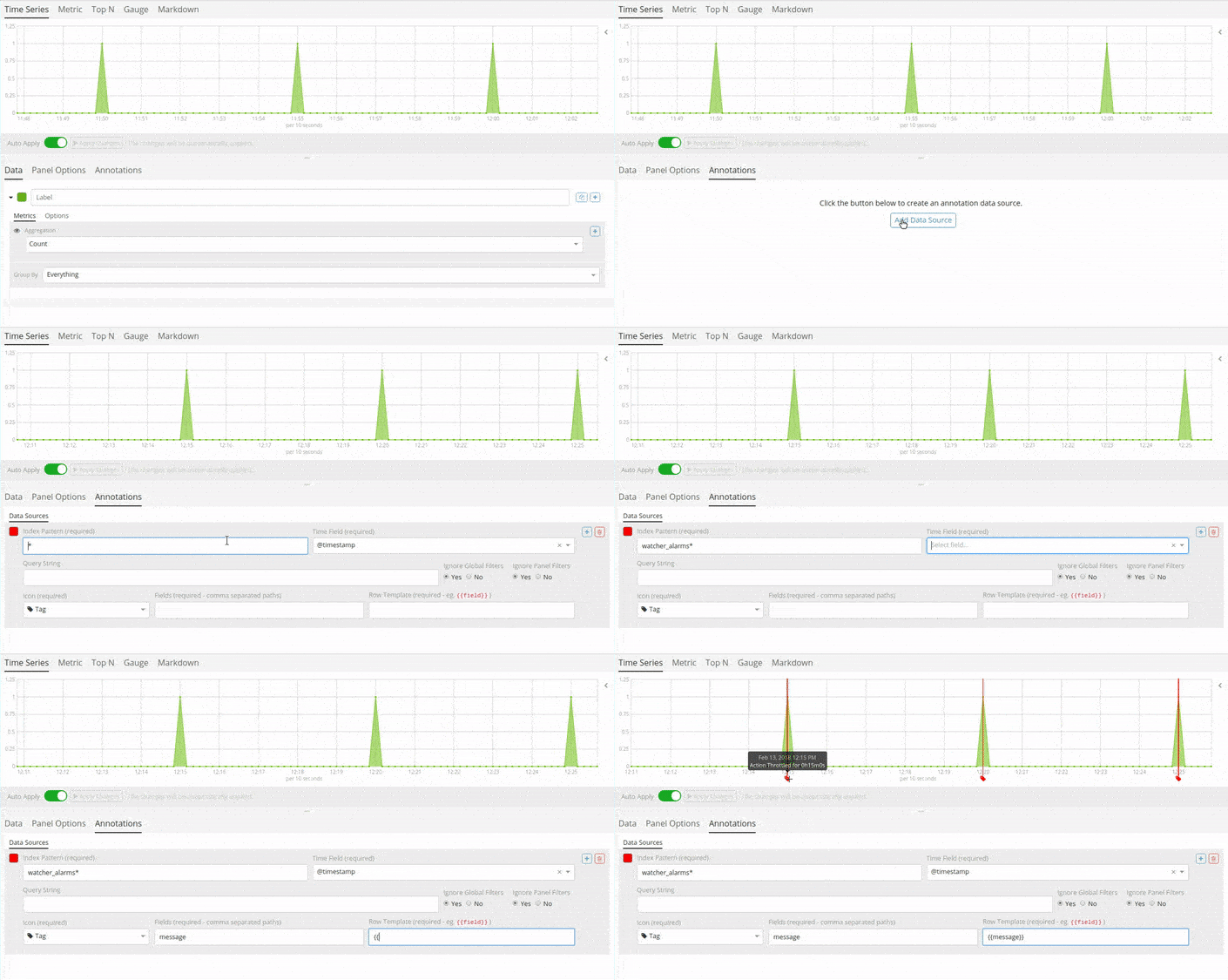
SENTINL Alerts and Detections can be superimposed over visualizations widgets using the Annotations feature in Kibana 5.5+ revealing points of contact and indicators in real-time. The familiar mustache syntax is utilized to render row elements from the alert based on case requirements.
How-To
Follow this procedure to enable SENTINL Annotations over your data:
- Visualize your timeseries using the
Query Builderwidget - Switch to the Annotations Tab
- Annotations > Add Data Source
- Select the Index and Timefield for SENTINL
- Index Pattern:
watcher_alerts* - Time Field:
@timestamp - Select the Field to Display in Annotations
- Fields:
message - Row Template:
{{ message }}
Visual Example